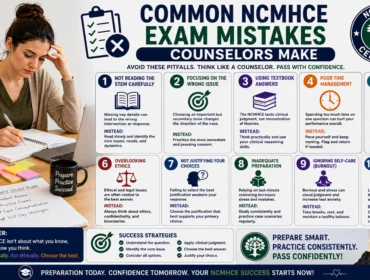

Before you begin your CSWA exam practice, there are a few important things you must understand to set yourself up for success.
Preparing for the CSWA (Certified SOLIDWORKS Associate) exam can feel like standing at the foot of a steep but conquerable climb. If you’re aiming to pass the CSWA on your first attempt, the right strategy beats cramming every time. The exam tests your ability to model parts, assemble them, and interpret engineering drawings under time pressure — so success is both skill- and strategy-driven. This guide gives you 15 actionable, proven tips that focus on efficient study, exam-day tactics, and test-specific tricks that experienced candidates wish they’d known earlier.
You’ll get clear advice on setting up practice sessions, mastering time management, avoiding common mistakes, and using SOLIDWORKS features in ways that save minutes (and nerves) during the exam. These tips are practical and hands-on: think checklists you can use while modeling, mental habits to reduce errors, and a study roadmap that balances deliberate practice with review. If you haven’t already, try a full-length timed run using a reputable CSWA practice test to see where your weak spots are and to get comfortable with the pacing. The more realistic your practice, the smaller the chance of surprises on exam day. Ready? Let’s walk through 15 focused tips that will give you the confidence to pass the CSWA on your first try.
Before you dive: what to have in place
Quick checklist before the tips: make sure your SOLIDWORKS version is up-to-date, that you know how to reset and manage your view, and that you’re familiar with standard shortcut keys. Bookmark one reliable online CSWA practice test to simulate timed exams and track progress.
Top 15 CSWA Exam Preparation Tips
- Start with a baseline: take a timed practice test
Take one full, timed practice exam before you begin serious studying. Treat it like the real thing: no notes, strict time limits, and a quiet environment. This baseline shows your starting score, reveals the types of problems you struggle with (parts, assemblies, or drawings), and helps you set realistic goals. Save your results and review every incorrect answer carefully — not just the final result but every step where you hesitated or used an inefficient command. Repeat the same test after one week of focused practice to measure improvement. If you can, use multiple sources for practice — different exam simulators and question banks avoid “teaching to the test” and expose you to varied problem styles. If you want a quick resource, try a vetted online practice exams page to get a steady stream of realistic questions and explanations.
- Master the most-used features first
CSWA problems focus on core SOLIDWORKS commands: Extrude, Revolve, Fillet, Chamfer, Cut-Extrude, Patterns, Mirror, and simple Mates in assemblies. Spend your initial study time mastering these features until you can apply them without thinking. Practice creating parts using sketches constrained with dimensions rather than relying on relations only. Learn how to edit sketches, manage feature order (rebuild errors are often due to bad feature order), and troubleshoot common warnings. Being fluent with basic features will quickly reduce the time you spend on every question and help you avoid building awkward workarounds that cost time and marks.
- Build a consistent modeling workflow
Create and follow a short, repeatable workflow for every part: (1) read the problem carefully, (2) create a clean sketch with dimensions, (3) apply primary features (boss/base), (4) add cuts and secondary features, (5) apply fillets/chamfers last, (6) inspect and compare. A consistent workflow reduces wrong turns and missing features. Keep sketches simple and fully defined; avoid over-constraining. Save incremental versions (e.g., Part01_v1) while practicing — for the real exam, make sure autosave is on and that you trust your save routine. The discipline of a short checklist prevents time wasted fixing cascading rebuild errors.
- Learn to read drawings fast and accurately
Time is the enemy on the CSWA. Practice extracting critical dimensions and tolerances quickly from drawings. Start by scanning the drawing for the overall dimensions, then locate features that must be modeled first (holes, pockets, bosses). Circle or note key dimensions on a printed copy or a screenshot so you don’t miss them. Recognize common drawing conventions — centerlines, hidden lines, and section views — and know which view gives you the defining sketch for a feature. Misreading a dimension is a common cause of failure; learn to cross-check dimensions by comparing related features to avoid contradictions.
- Use measurements and probe tools, not guesswork
If the exam environment provides measurement or probe tools, use them. Don’t guess a dimension based on appearance — use the software’s measuring tool to confirm distances and radii. When multiple dimensions seem plausible, measuring them can prevent costly rework. Also, learn commands that display model properties and relations quickly so you can confirm your intended design aligns with the spec. Accurate measurement is a small time investment that prevents larger correction time later.
- Optimize your view and navigation habits
Quickly manipulating the 3D view saves minutes. Learn and practice these actions until they’re second nature: rotate with the middle mouse button, zoom to fit (F), view normal to sketch (spacebar > Orient > Normal To), and use standard view shortcuts (Ctrl+1–7). Use selection filters when needed to avoid accidentally selecting the wrong entity. If you know how to instantly switch views and hide/show components, you can verify complex geometry without wasting seconds. Practice keyboard shortcuts for frequently used commands — the cumulative time saved is significant.
- Practice assemblies with a plan
Assembly tasks are often simpler conceptually but messy if mates are applied randomly. Start by identifying the primary part (the one that defines location) and insert it first. Use concentric, coincident, and distance mates in that order to establish a stable base; avoid redundant mates that cause over-definition. Use the “Fix” and “Float” states sensibly. When the exam asks for motion or constraint verification, constrain degrees of freedom deliberately and check interference and clearances. A tidy assembly approach prevents mate conflicts and rebuild errors that cost time.
- Don’t overcomplicate—use the right tool for the job
SOLIDWORKS offers multiple ways to reach an outcome. Some methods are faster and more robust than others. For example, use patterns or mirrored features instead of building repeated geometry by hand. Use multibody parts when appropriate but keep them simple for the CSWA — the exam generally favors single-body approaches unless specified. Recognize when to use Convert Entities, Offset Entities, or Trim Entities to simplify sketches. Choose features that are parametric and easy to edit if changes are needed.
- Keep dimensions parametric and logically organized
Set up sketches so you can edit dimensions easily if the exam requires changes. Use driven and driven-by-dimensions appropriately and avoid hard-coded dimensions inside features when a sketch dimension will do. Name critical sketches or features when practicing so you can find them quickly. Logical parametric modeling (i.e., defining the part so one change propagates cleanly) helps you adapt rapidly if the exam has follow-up edits to a model.
- Time management: allocate and reallocate smartly
Treat each question like its own mini-project. Scan all questions at the start (if allowed) and budget time: prioritize high-value/low-effort questions first. If a problem is stuck past its allocated time, move on and come back — but mark it clearly. Many candidates lose marks by spending too long on a single tricky part and then rushing the rest. Practice timed sections so you learn the rhythm of when to stop and when to detail. In practice runs, record how long each question takes and aim to shave off seconds via better workflows and shortcuts.
- Master constraints and relations in sketches
Geometric relations are powerful: use coincident, perpendicular, parallel, tangent, and symmetric relations to lock sketch behavior predictably. Over-constraining causes rebuild errors, while under-constraining leaves features floating and prone to mistakes. Aim for fully defined sketches, but if a sketch tends to be rewritten later, use a minimal set of driving dimensions and relations to keep it flexible. Practice diagnosing under- and over-defined sketches quickly so you can fix them without losing time.
- Learn the common pitfalls and how to avoid them
There are recurring exam pitfalls: mismatched units, misapplied fillets that change reference geometry, accidental use of entities from the wrong plane, and saving in the wrong format. Build a mental checklist of quick verifications before you finish a question: confirm units, check feature count versus expected, verify mates for assemblies, and use section views to validate internal geometry. Many missed marks come from small oversights rather than fundamental modeling errors.
- Practice troubleshooting rebuild and mate errors
Rebuild errors are time sinks. When you see an error, isolate the offending feature quickly: suppress recent features one by one until the model rebuilds, then fix the underlying sketch or relation. For assemblies, roll back mates or use the mate diagnostics tool. Learn common diagnostic messages and their likely causes by practicing them intentionally—create errors on purpose and fix them so you aren’t surprised in the exam. Quick triage beats random edits when you’re under a time limit.
- Make a tidy, exam-specific file management routine
File organization during the exam matters: use clear file names (Part001, Assembly001), know where autosaves land, and keep a habit of saving frequently. If the exam environment provides a specific folder structure, adhere to it. For practice, mirror the exam file naming and saving habits. When you must submit multiple files, double-check that you have the correct versions and that linked parts are included. Misplaced or unsynced files can cost you marks even if your model is perfect.
- Review, verify, and submit with confidence
Leave time at the end to review everything. Use section views, measure tools, and compare your model visually and dimensionally with the drawing or specification. Re-run any clearances or assembly checks required. If the exam has a checklist or rubric, go through it point-by-point. Confirm that every required view or configuration is present, and ensure you followed naming/submission conventions. A calm, thorough review catches small mistakes and often turns a borderline pass into a confident success.
Bonus: Study plan and weekly routine (quick, practical)
If you have 4–6 weeks to prepare, use a structured routine:
- Week 1: Baseline test, map weak areas, and review core commands.
- Week 2–3: Focused practice on part modeling and sketching; daily timed mini-sessions.
- Week 4: Assemblies, mates, and complex drawing interpretation.
- Final week: Full-length timed tests every 2–3 days, targeted drills on problem areas, and light review the day before the exam.
Pair practice with short review notes — 1–2 page cheat-sheets for common commands and typical errors. Keep sessions focused (45–90 minutes max) and take deliberate breaks.
Common CSWA commands & shortcuts cheat-sheet
- Sketching: Smart Dimension, Mirror Entities, Trim Entities, Convert Entities, Offset Entities.
- Features: Extrude Boss/Base, Extruded Cut, Revolve, Fillet, Chamfer, Pattern, Mirror.
- Views & navigation: Zoom to Fit (F), Normal To (spacebar > view), Hide/Show (Tab), Isometric (Ctrl+7).
- Assemblies: Mate (coincident, concentric, distance), Fix/Float, Insert Component.
- Verification: Measure, Section View, Interference Detection.
Final words: calm, methodical, and deliberate wins
Passing the CSWA on your first try is entirely achievable with deliberate practice, the discipline to follow workflows, and the habit of verifying your work. The exam rewards candidates who are prepared, patient, and methodical. Keep your practice realistic: timed, noisy-free, and using multiple question sources. Remember that a few minutes saved by a shortcut can be the margin between pass and fail — but shortcuts must be reliable, not risky improvisations.
For targeted practice and a bank of realistic questions and explanations, check a trusted resource like this CSWA Practice Exam page for timed simulations and question breakdowns.
If you want to quickly jump to a concise source of information on exam formats, question types, and scoring, it’s also worth bookmarking a dedicated resource.
Quick Reference — 1-minute checklist before you click submit
- All required views/drawings included?
- Units correct and consistent?
- All sketches fully or logically defined?
- Files saved with correct naming and included in submission?
- All mates stable in assemblies?
- Final visual comparison and measurements verified?